A Special Deep Dive — Exclusively Prepared For The
Photo Managers
You already understand the urgency.
Here you go. This guide is for you — and for your clients.
How to use this guide
The Creative Tips section gives you and your clients inspiration for what to make. The Here's How section shows exactly where to click to do it. Both sections print cleanly as a PDF you can share with clients.
What's Inside This Guide

Every photo has a story.
Now it can speak.

Every Talking Photo starts with a single meaningful photo and a spoken voice caption that tells its story. This guide gives you the creative ideas and the step-by-step guidance to get the most out of Voice Moments.

100% of photos are silent. Voice Moments changes that — one voice caption at a time.
The reason for everything on this page
New to Talking Photos?
Start here — three simple steps
1
Browse the Creative Tips below to find an idea that fits your moment
2
Choose one meaningful photo to start with — just one
3
Follow the Here's How tips to add your voice in under two minutes
Section 01 — Creative Inspiration

What can I make?

Seeking inspiration for where to begin? Below are eight common ways people use Talking Photos. Pick one that fits your moment — or let it spark an idea entirely your own.

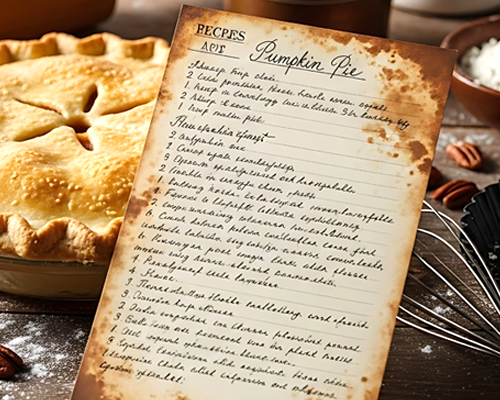
Talking Photo Recipe
Talking Photo Recipes
  • Who it's forFamilies who want to preserve the voices and stories behind beloved recipes to complement written recipe cards
  • When to use itBefore the stories and magic behind the recipes are lost forever
  • What you preserveThe secret tips, the "why we make this," and the voices of the "cook" who made it matter
  • The ImpactGreat grandchildren can hear their great grandmother explain the secrets of her dishes in her own words — years after she's gone
Talking Photo Pet Moments
  • Who it's forPet owners who want to honor a companion who brought joy to everyone around them
  • When to use itWhen they do something you never want to forget — a funny habit, a joyful moment, a bond only you'd understand. And yes, after a loss too
  • What you preserveThe personality, the funny habits, and the stories only people closest to them would know
  • The ImpactEveryone who loved a pet gets to share a perspective of what made them irreplaceable and relive those moments — together
Talking Photo Postcard
Talking Photo Postcards
  • Who it's forTravelers who want to share the stories behind the most memorable photos from their trips
  • When to use itIn the moment — when a place hits differently and words in a caption or a silent photo won't do it justice
  • What you preserveA voiced narrative filled with the sights, sounds and feelings of being there; more detail than can ever be written on a physical postcard; and the perspectives of everyone who experienced it
  • The ImpactThe people back home feel like they were with you rather than having to guess at the details behind the photo
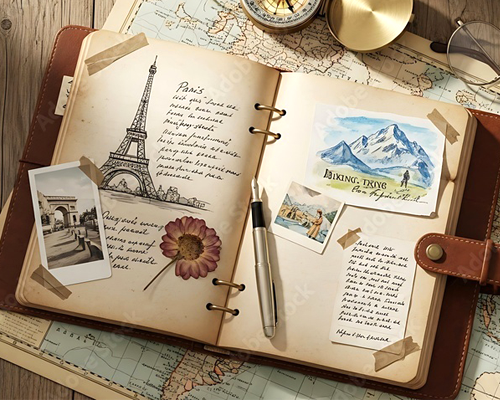
Talking Photo Travel Journal
Talking Photo Travel Journals
  • Who it's forTravelers who want the experiences of their journeys detailed beyond silent photos
  • When to use itVoice-caption travel photos the moment they happen while your memories are fresh. Either at the location or once back in your hotel
  • What you preserveThe places, stories, experiences and perspectives of the people you traveled with
  • The ImpactAnytime and anywhere relive or share a trip's details through the layered storytelling of voice-captioned photos
Talking Photo Memoir
Talking Photo Memoirs
  • Who it's forSeniors who want to tell their life story in their own voice — rather than, after they are gone, having it told by someone who knew them
  • When to use itToday! While you're still able to tell it. Curate the 50 most important photos of your life and voice-caption each. Consider inviting friends and family to add their voice-captioned memories
  • What you preserveThe texture, tone and emotion of your voice sharing reflections, hard-won lessons, and the perspectives that only come from a life fully lived
  • The ImpactFuture generations look, listen and learn straight from ancestors who had the foresight to voice-caption the most important photos of their lives
Talking Photo Birthday & Occasion Card
Talking Photo Holiday, Birthday & Occasion Cards
  • Who it's forAnyone who wants to honor an occasion with a keepsake more personal than a physical card. Also for those for whom talking is easier than writing and sending via email is faster than sending via post
  • When to use itAll special occasions! From holidays and anniversaries to retirements, weddings and graduations. Instantly delivered via email
  • What you preserveThe texture, tone and emotion of your voiced best wishes and kind words
  • The ImpactThe person receiving your Talking Photo Card will keep and cherish it forever in their Digital Time Capsule — compared to physical cards which are typically lost or thrown out
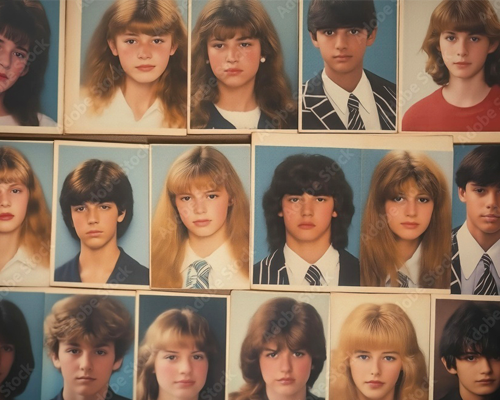
Talking Photo Yearbook
Talking Photo Yearbooks
  • Who it's forUniversity or high school classmates, teammates, or club participants
  • When to use itBefore or during reunions; for fundraising to connect alumni to positive memories; to capture important stories before the people who lived them forget
  • What you preserveThe voices and feelings of a shared chapter in the history of your life; the inside moments a silent yearbook photo is incapable of conveying
  • The ImpactSeeing and hearing the voices of university or high school peers automatically reconnects you to that time and triggers the warm feelings and memories
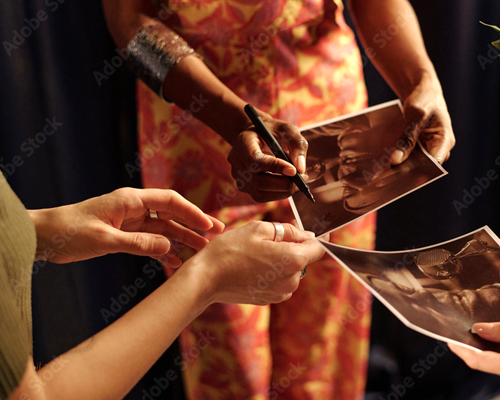
Talking Photo Autograph
Talking Photo Autographs
  • Who it's forFans who want their hero's voice and story behind the signature — not just the signature itself
  • When to use itAt an autograph show; at the ballpark or concert when you're able to meet the celebrity signing their photo
  • What you preserveThe story and context — in their voice — of what the celebrity was thinking and doing the moment the photo was taken
  • The ImpactTalking Photo Autographs are both limited edition collectible memorabilia AND the celebrity voiced stories are something you'll never forget
Section 02 — Creative Inspiration

Start with a special occasion

Sometimes inspiration for a Talking Photo comes from the memory of a special moment.

Image Placeholder
Personal Moments

Quiet stories that matter — told in your own voice

  • A Life, Told in MomentsPhotos from different seasons and times of life, explained in your own words
  • Remembering Someone You LoveA private or shared collection honoring a parent, partner, friend, or companion
Image Placeholder
Shared & Social

When a moment belongs to more than one person

  • The Same Moment, Different VoicesInvite others to add their perspective to the same photo
  • Family Traditions & RitualsHolidays, reunions, and annual moments — told across years and voices
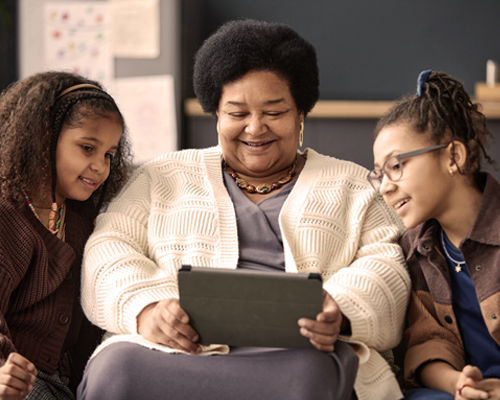
  • Messages Across GenerationsParents, grandparents, and children speaking into the same memories
Image Placeholder
Celebrations & Gifts

Moments meant to be shared or sent

  • Birthdays, Anniversaries & MilestonesTurn a photo into a spoken greeting or celebration
  • Just BecauseA photo and a voice, sent simply because you felt like it
  • Send a GiftRecipients get their own private Digital Time Capsule to create, curate and share as many Talking Photos as they want
Image Placeholder
Iconic & Collectible

When photos carry cultural meaning

  • The Story Behind the Iconic PhotoAthletes, performers, and creators sharing context behind meaningful images
  • Messages for Fans & CommunitiesPhotos paired with voice messages that feel personal, not promotional
  • Shared HistoryTeams, schools, and communities preserving moments that shaped them
The Feature That Changes Everything
The Breakthrough.
multiple voice captions on one photo.

Voice Moments lets multiple people add their spoken perspectives to the same photo. When one memory sparks another, a silent image becomes a rich, multi-layered narrative — told by the people who lived it.

Use it
A family recipe photo
The cook explains the dish, a daughter adds the memory of learning it at her grandmother's knee, a grandchild describes what it means to make it today. Three voices. One photo. A story no single person could tell alone.
A trip photo
Everyone who was there adds what they remember. The details each person noticed, the feelings each person carried home. The photo stops being a postcard and becomes a conversation.
A photo of someone who is gone
Invite the people who loved them to add their voice. Each memory adds a dimension. What emerges is a portrait no single photo could ever capture.
Section 03 — Creative Inspiration

Powerful Talking Photo capabilities

Six distinctive ways to expand how you use Talking Photos — and make even more powerful memories for future generations to cherish.

Printed Talking Photo + Listen QR Code
Print It

Voice Moments features two types of QR codes, each with a different powerful creative use. Anyone with a phone camera can scan either — no app needed.

Listen QR Code Scan to hear
  • WhatPrint any Talking Photo — or an entire Collection — as a PDF. Each printed page features a photo, a description, and a scannable Listen QR code. Anyone with a phone can scan it to hear all the spoken voice captions associated with that photo
  • Why it mattersA physically printed Talking Photo with a Listen QR code bridges the physical and digital — it looks and feels like a keepsake and enables Talking Photos to become part of a physical event or celebration when computers are impractical or not available
  • Use it
    • Mail a printed Talking Photo to someone special who can physically hold, display, and scrapbook the keepsake
    • Hang a series of Talking Photos on the wall at a party or birthday celebration — guests scan each QR code to hear and experience the untold stories hidden in each photo
    • Create a scavenger hunt with each clue revealed when participants scan the QR code
Record QR Code Scan to hear and add your voice
  • WhatPrint any Talking Photo as a PDF with a Record QR code embedded. Anyone who scans it can listen to the existing voice captions — and then record and add their own voice caption directly to that Talking Photo
  • Why it mattersA Record QR code turns any printed Talking Photo into a living, growing story. Every person who scans it can become a contributor — adding their voice to a shared memory in real time, from anywhere
  • Use it
    • At a family reunion — print and post Talking Photos around the room so every relative can scan and add their own memory of the moment
    • At holiday gatherings — let every family member add their voice to a holiday photo, building a richer story each year
    • At a funeral or memorial — give attendees a way to leave their tribute in their own voice, preserving their words forever alongside the photo
Digital Frame Examples
Frame It

Voice Moments offers two types of digital frames — for personal occasions and for branded events.

Seasonal & Occasion Frames
  • Why it mattersA frame signals occasion. It adds meaning and thoughtfulness to any Talking Photo and puts an exclamation point on a special moment
  • Use it
    • Any special occasion: Happy Birthday, Wish You Were Here, Happy Mothers/Fathers Day, Thinking of You, weddings, anniversaries and more
    • Seasonal frames for Christmas, Thanksgiving, or Halloween; celebratory designs for a graduation or a new baby
For Photo Managers
Branded Frames Custom logos & event branding
  • Why it mattersBrands can customize digital frames with their logo, event name, and date. When participants create Talking Photos using a branded frame, the brand becomes a permanent part of their Digital Time Capsule — seen by everyone who ever views that Collection
  • Use it
    • A wedding, Sweet Sixteen, Bar or Bat Mitzvah — guests capture and voice-caption their memories inside a beautifully branded frame
    • A marathon sponsored by a brand — runners crossing the finish line create Talking Photos inside a branded frame, preserving the moment and the sponsor's identity together forever
Audio Upload Example
Use Previously Recorded Audio
  • WhatUpload any existing audio file — a voice memo, audio from a video, or any saved recording — and pair it with a meaningful photo to create a keepsake Talking Photo
  • Why it mattersIf you've already saved an audio clip that has meaning for you, fusing it with a photo gives it a permanent home in your Digital Time Capsule — where future generations can see it, hear it, and cherish its stories
  • Use it
    • An old voice memo of a loved one explaining something meaningful
    • Record a speech, toast, or reading with the Voice Memo app on your phone — then upload it to Voice Moments
    • You have a video but only the audio matters — extract it and preserve it here
Saved Voicemails on Phone
Preserve Precious Voicemails
  • WhatSave precious voicemails by uploading them to Voice Moments and pairing them with a meaningful photo — creating a Collection called "My Saved Voicemails"
  • Why it mattersEveryone has priceless voicemails saved on their phones. They are easily accidentally deleted when a phone is upgraded, lost or broken. When that happens it feels like you've lost a loved one
  • Use it
    • Transfer every voicemail you have saved to Voice Moments and add it to a Collection named "My Voicemails" — do it now, before it's too late
Business Applications for Photo Managers

Talking Photos as a professional tool

These applications are designed for Photo Managers working with brands, event organizers, and professional clients — not covered in the senior-facing sections above.

Branded Digital Frames for Events
  • The opportunityBrands and event organizers can commission custom digital frames featuring their logo, event name, and date — turning every participant's Talking Photo into branded content that lives permanently in their Digital Time Capsule
  • ExamplesWeddings, Sweet Sixteens, Bar and Bat Mitzvahs, corporate events, charity galas — any event where photos are taken and memories matter
  • The brand benefitEvery person who ever views that Collection sees the brand — making it one of the most personal and lasting forms of event sponsorship available
Record QR Codes for Brand Activations
  • The opportunityPrint Record QR codes at brand-sponsored events so participants can scan, listen, and add their own voice — creating real-time multi-voiced Talking Photos at scale
  • ExampleA brand-sponsored marathon posts branded Talking Photos with Record QR codes at the finish line. Every runner who crosses scans and records their finish — building a collective voice-captioned story of the event
  • The brand benefitSeasonal campaigns and live events become permanent, personal memories — with the brand embedded at the heart of each one

Need a nudge?

Choose one meaningful silent photo and add a voice caption — turning it into a Talking Photo that speaks the stories behind that photo. Here are five ways to start.

1
Tell the story behind one favorite photo
Why did that moment matter? What does the photo not show?
2
Create a Collection
Combine 2 or more photos from the same day, place, or event to tell a rich story
3
Invite people to add their unique voice captions
Ask family, friends, or teammates to add their spoken perspective
4
Celebrate something
A birthday, a trip, a milestone — or simply just because
5
Remember someone you love
At your own pace, compose a thoughtful Collection of Talking Photo memories and stories
Here's How

Designed to be easy to use.

You just need to know where to click.

Screenshot — iPhone Safari Share icon or Android Chrome menu
Tip 01
Add Voice Moments to Your Phone's Home Screen
  • WhatAdd Voice Moments to your phone's home screen so it opens like an app — one tap, no browser needed
  • Why it mattersThe best Talking Photos happen in the moment. Having Voice Moments one tap away means you never miss a story worth capturing
  • How
    • iPhone: Open Voice Moments in Safari → tap the Share icon → tap "Add to Home Screen"
    • Android: Open in Chrome → tap the three-dot menu → tap "Add to Home Screen"
Screenshot — Create icon in bottom nav → Record and Upload Audio buttons
Tip 02
Create Your First Talking Photo
  • WhatChoose any meaningful photo, add a voice caption, and save it in a Collection — your first Talking Photo takes less than two minutes to create and save
  • Why it matters
    • The texture, tone and emotion in a voice is an instant memory trigger — hearing it brings someone back in a way a silent photo never can
    • Over time the memory of what someone sounded like fades. "I can no longer remember what Dad sounded like." Preserving his voice is a gift to everyone who comes after
    • For a great grandchild who never met the person in the photo, hearing their voice for the first time is unforgettable
  • How
    • Tap the Create icon in the bottom navigation bar. Choose a photo. Then:
    • Tap Record to narrate a live voice caption
    • Tap Upload Audio to use a pre-recorded voicemail, voice memo, or audio file
Screenshot — Invite to Talking Photo modal with Contributor permission dropdown
Tip 03
Add Multiple Voice Captions to a Single Photo
  • WhatSend an email inviting a friend or family member to listen to your voice caption — and then add their own, bringing a new perspective to the same photo
  • Why it mattersEveryone has a different perspective about what a photo means, why it was taken, who was there. Multiple voice captions create a rich, multi-layered narrative that turns a silent photo into a treasured family oral history
  • HowOpen any Talking Photo and tap Share/Contribute. Select Invite. Enter the recipient's email. Set Permission to "Contributor — Can add Voice Captions." Tap Next. They receive a private link and can listen and record without needing an account
Screenshot — Voice Captions Edit button with listed tracks showing Now Playing and Up Next
Tip 04
Set the Order That Multiple Voice Captions Play
  • WhatOnce multiple voices are added to a Talking Photo, choose the order in which they play
  • Why it mattersOrder matters in storytelling. The original photographer first, a parent next, a grandchild last — or any sequence that feels right to you
  • HowInside the Talking Photo, tap Edit next to Voice Captions. Drag and drop the tracks into the order you want. Tap Save Changes. You will be notified each time a new voice caption arrives
Screenshot — My Collections screen with + button to create new Collection
Tip 05
Create a Collection
  • WhatEvery Talking Photo lives inside a Collection. Think of a Collection as a chapter — it can hold one photo or many, and you can keep adding to it over time
  • Why it mattersA single Talking Photo is a memory. A Collection is a story. Even if you only have one Talking Photo to start, creating a Collection gives it a home and an open door for more
  • HowFrom your home screen tap the + button next to My Collections. Give it a name and a short description. Tap Save. Your Collection is ready — add Talking Photos to it as you create them
Screenshot — Collections page showing photo tile grid with Listen and Share buttons
Tip 06
Your Collections Page
  • WhatYour Collections page is the first thing you see when you open Voice Moments — a visual gallery of every Collection you've ever created
  • Why it mattersEvery story you've ever preserved lives here, easy to find and easy to share. It's your personal Digital Time Capsule at a glance
  • HowTap any Collection tile to open it. You'll see all its Talking Photos listed on the right and the selected photo on the left with its play controls. Two buttons appear: Listen to play the Collection start to finish, or Share Collection to send it to someone
Screenshot — Talking Photo page showing photo, play button, voice captions list, and Share/Contribute and Add Voice Caption buttons
Tip 07
The Talking Photo Page
  • WhatThis is the heart of the app — where you play, manage, and build each individual Talking Photo
  • Why it mattersEverything that makes a Talking Photo powerful lives on this one page — the photo, the voice captions in the order they play, and all the tools to share, grow, and frame it
  • HowOpen any Collection and tap a Talking Photo. On the left you'll see the photo with its play button and voice captions listed beneath. Three key controls appear: Share/Contribute, Add Voice Caption, and the Frame icon — the small square in the corner of the photo
Screenshot — Share Talking Photo modal showing email field and Viewer permission
Tip 08
Share a Talking Photo
  • WhatSend any individual Talking Photo directly to someone by email — they receive a private link to view and listen, with no account required
  • Why it mattersSharing puts the story in the hands of the people it was meant for. They see and hear exactly what you created — nothing more, nothing less. They will not see any other photos in your Collection
  • HowOpen any Talking Photo and tap Share/Contribute. Select Share. Enter the recipient's email — add multiple addresses by pressing Enter between each one. Tap Send
Screenshot — Contribute option in Share/Contribute dropdown with email field
Tip 09
Invite Someone to Contribute a Voice Caption
  • WhatInvite a friend or family member to listen to your Talking Photo and then add their own voice caption — bringing a new perspective to the same photo
  • Why it mattersEveryone remembers a moment differently. Inviting others to contribute turns one person's memory into a shared story — a multi-voiced narrative that no single person could tell alone
  • HowOpen any Talking Photo and tap Share/Contribute. From the dropdown select Contribute. Enter the email addresses of the people you're inviting. Tap Send. They'll hear your voice caption first, then be invited to record and add their own. You'll receive a notification when each new voice caption arrives
Screenshot — Frame library open over a Talking Photo showing frame options
Tip 10
Add a Digital Frame
  • WhatAdd a decorative digital frame to any Talking Photo — seasonal, celebratory, or branded designs available in the Voice Moments frame library
  • Why it mattersA frame signals occasion. It makes any Talking Photo feel finished, gift-worthy, and personal — like the difference between a photo on a phone and one in a frame on a wall
  • HowOpen any Talking Photo and tap the Frame icon — the small square in the corner of the photo. Browse the frame library and tap any frame to preview it. Tap Apply to save. The frame becomes a permanent part of that Talking Photo
Screenshot — Send a Gift button in upper right of home screen
Tip 11
Send a Gift
  • WhatGive the gift of Voice Moments to anyone by email — they receive their own private Digital Time Capsule, ready to create, curate, and share Talking Photos of their own
  • Why it mattersA Voice Moments gift is one of the most personal gifts you can give — the gift of preserving what matters. More meaningful than a card. More lasting than flowers. And it arrives instantly
  • HowTap Send a Gift in the upper right of any page. Choose a gift, enter the recipient's email, and send. They'll receive everything they need to get started
Screenshot — Left navigation bar showing Beneficiary option
Tip 12
Name a Beneficiary
  • WhatAssign a trusted person to access your Digital Time Capsule if you ever lose access to it or can no longer manage it yourself
  • Why it mattersThe Talking Photos and Collections you create are precious. A Beneficiary ensures they are never lost — even if something happens to you or your device. It is one of the most important things you can set up
  • HowIn the left navigation bar, tap Beneficiary. Enter the name and contact information of the person you trust. Tap Save. They will automatically have everything they need to access your Digital Time Capsule if the time ever comes
Screenshot — Collection Dashboard showing Download options for individual photos and entire Collection
Tip 13
Download Your Content
  • WhatDownload any individual Talking Photo or an entire Collection to your own device or cloud storage at any time
  • Why it mattersYour stories belong to you. Downloading your content means they are safe on your own device — preserved forever, even if anything ever changes with the Voice Moments platform
  • HowOpen any Collection and tap Collection Dashboard in the upper right. From there you can download individual Talking Photos or the entire Collection. Save to your phone, a thumb drive, or any cloud storage you own
Your Opinion Matters to Us

How can we make this better?

This guide was built especially for you. As early adopters who work with photos and families every day, your feedback will help us refine it before we share it more broadly. What's missing? What's unclear? What would make it more useful for you and your clients?

Share Your Feedback

Replies go directly to the Voice Moments team. We read every one.